How to Create an Amazon Storefront: 2026 Guide
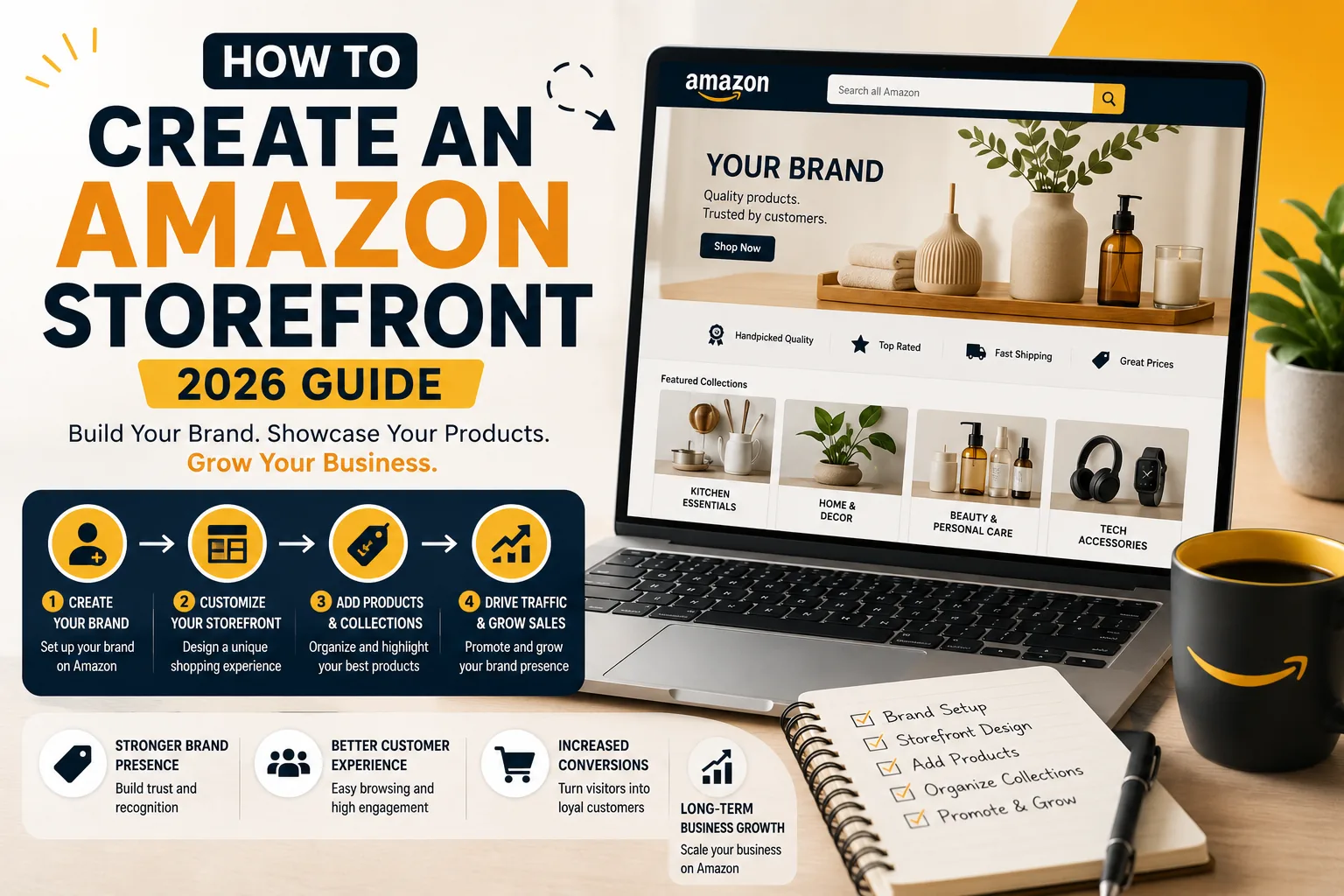
An Amazon storefront is a free, multi page brand destination you control, not just a single product listing. To create an Amazon storefront, enroll your brand in Brand Registry, open Seller Central, go to Stores, then Manage Stores, then Create Store. Pick a template, add your products and content, and submit it for review.
The build is the easy part. What stops most brands is eligibility, not the editor.
A good Amazon storefront is not just a pretty brand page. It turns a scattered product catalog into a clear buying path. For example, instead of sending shoppers to one product listing at a time, a storefront can organize the brand into simple sections like best sellers, new arrivals, product bundles, and category pages. That makes it easier for customers to understand what the brand sells, compare products, and move from browsing to buying.

Check that you are eligible before you start
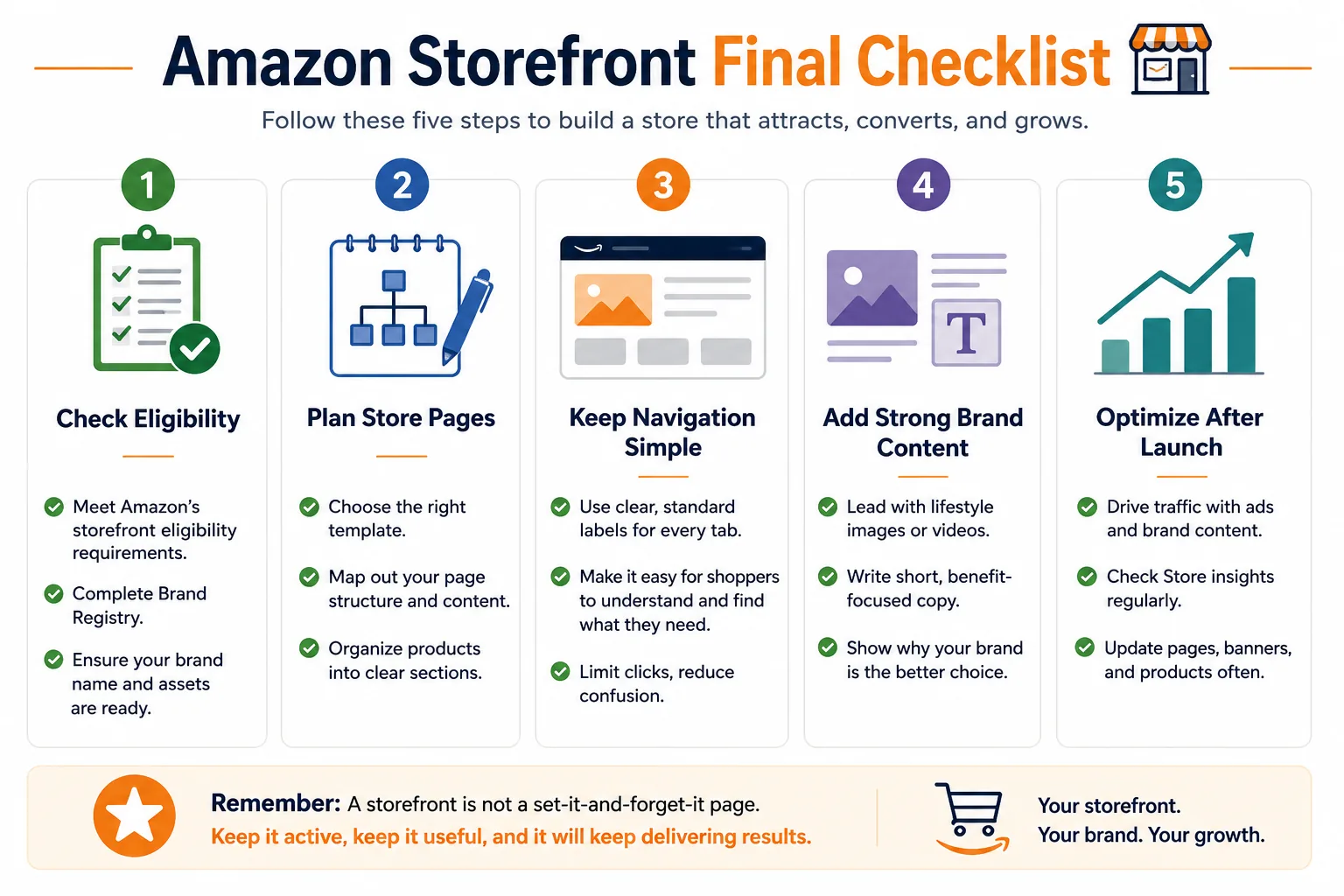
Here is the heads-up nobody gives you up front. You can spend an afternoon excited to build, then hit a wall because your account is not ready. So check these first.
You need a professional seller account, not the free individual plan. You need to be enrolled in Amazon Brand Registry, which means you need a trademark that is registered in the country where you sell. You also need to be registered for Amazon Ads, and you need at least one live product, an active ASIN, under the brand. A draft listing or one that is out of stock does not count.
The store itself costs nothing. There is no fee to build it or run it once your brand is registered.
The part that catches people is the timeline. Trademark registration is not instant. In some countries it can take months to clear, and you cannot get into Brand Registry without it. So if you do not have your trademark yet, that is the thing to start today, not the store.
The most common mistake is trying to build the storefront before the brand is ready. A seller may already have products live, images prepared, and a nice store layout in mind, but if the brand is not properly enrolled in Brand Registry, the store build stops before it starts. That delay can waste days or weeks. Before opening the store builder, check your Brand Registry status, trademark details, active ASINs, and account health first. Eligibility comes before design.
Before you build your Amazon storefront, make sure the brand is eligible. In most cases, you need an active Amazon selling account, a brand enrolled in Amazon Brand Registry, and at least one live product under that brand. Your trademark should be active and registered, or eligible as a pending application where Amazon allows it. You do not need to run Amazon Ads to create a Brand Store, but your brand and account must be set up correctly before the Store option becomes useful.
| Requirement | Why it matters |
|---|---|
| Brand Registry | Gives access to brand/store tools |
| Trademark | Proves brand ownership |
| Active product/ASIN | Store needs products to display |
| Good account health | Avoids delays and review issues |
| Brand content ready | Helps build faster |

Plan the structure before you touch the builder
Most guides hand you the clicks and skip the part that actually matters. Plan first.
Decide your pages before you open the editor. A clean shape that works for a lot of brands is a homepage, then one page per product category or collection. That is it. You do not need ten pages to look serious.
Map the navigation the way a shopper thinks, not the way your catalog is organized in your head. Your internal SKU groups mean nothing to a buyer. They think in terms of what they want, so label and group around that.
Then gather your assets before you build. Logo, lifestyle images, any video, and your product list, all in one folder. Build with everything ready and you are done in a few hours. Build while hunting for a logo file and a usable photo, and a simple store drags out over days.
For a brand with three product lines, I would not build one crowded homepage and force every product into it. I would keep the structure simple: a homepage for the main brand story, then one page for each product line. For example, a kitchen brand could have separate pages for cookware, storage containers, and cleaning tools. The homepage should guide shoppers to the right section quickly, while each category page should show best sellers, product benefits, lifestyle images, and a clear path to buy. A clean storefront structure is not about having more pages. It is about making the shopper’s next click obvious.
| Store page | Purpose |
|---|---|
| Homepage | Introduce the brand and guide shoppers |
| Product Line 1 | Show best sellers and key benefits |
| Product Line 2 | Organize related products clearly |
| Product Line 3 | Help shoppers compare and choose |
| About / Brand Story | Build trust and explain the brand |

how to create an amazon storefront, step by step
- Log into Seller Central with your Professional account.
- Hover over Stores, then select Manage Stores.
- Click Create Store and choose your brand from the registered list. Only brands enrolled in Brand Registry will appear.
- Enter your store name and upload your brand logo.
- Write a homepage meta description, and work in a few search terms so the store can surface in Google.
- Choose a template, or start from blank. More on picking one below.
- Build your pages in the drag and drop builder by adding tiles for images, text, video, and products.
- Add your products. You need at least one live ASIN.
- Preview on desktop, tablet, and mobile.
- Submit for review. Amazon moderates and publishes in roughly 24 to 72 hours.
Do not skip that mobile preview in step 9. Most of your store traffic will be on a phone, and a layout that looks great on a laptop can fall apart on a small screen. Check it on mobile before you ever hit submit.
Pick the right template
Amazon gives you four. Here is how I would choose between them.
Marquee is built for telling a brand story, with room for big imagery and a narrative flow. Reach for it when the brand itself is the selling point.
Product Highlight puts one flagship product front and center. Good when you have a hero item that does most of the work.
Product Grid shows a large catalog in a clean, scannable layout. This is the one for a wide range of products.
Blank gives you full control and no guardrails. Use it when you know exactly what you want and the presets get in your way.
For most brands, I reach for Product Grid more than anything else because it is clean, simple, and easy for shoppers to understand. If the catalog is big, Product Grid is usually the safest choice because customers can browse categories and compare products quickly. For a small catalog with one strong hero product, Product Highlight works better because it lets you focus attention on that main item. I would only use Marquee when the brand story is the main selling point, and I would only use Blank when the layout has already been planned properly. Simple beats clever here. Pick the template that helps shoppers find the right product fastest.
| Template | Best for | My recommendation |
|---|---|---|
| Marquee | Brand story and lifestyle visuals | Use when the brand story sells the product |
| Product Highlight | One main hero product | Use for a small catalog or flagship item |
| Product Grid | Multiple products or categories | Best choice for most growing brands |
| Blank | Custom layout control | Use only when you already know the structure |

Build pages that actually convert
Setup is one thing. A store people buy from is another. This is where the thin guides stop and the real work starts.
Lead your homepage with a strong lifestyle image or a short video, not a wall of product tiles. The first thing a shopper sees should pull them in, not overwhelm them.
Keep your navigation labels plain. A shopper should understand every tab at a glance, with no guessing.
Group products into shoppable sections instead of dumping everything into one long scroll. Sections give people a path through your catalog.
Write short, real copy. No filler, no padding. Say what the product is and why it matters, then stop.
And check every page on mobile before you submit. I will say it twice because it is the step people skip and regret.
One design change that usually improves a storefront quickly is replacing a crowded product-tile homepage with a clear shopper path. For example, instead of showing every product at the top, lead with one strong lifestyle banner, a short brand promise, and three simple category blocks. A shopper should instantly understand what the brand sells and where to click next. The goal is not to make the store look busy. The goal is to make the next step obvious, especially on mobile.

Submit, review, and publish
When the store is ready, hit submit through the builder. Amazon reviews it for policy and quality before it goes live.
Review usually takes 24 to 72 hours. You will get an email when the store publishes. If it comes back rejected, it is almost always a content or image issue, not a mystery. Fix the flagged item and resubmit.
A live store is the start, not the finish
Here is the part brands miss. Publishing the store is not the win. A storefront that nobody visits does nothing at all.
You have to drive people to it. Sponsored Brands ads are built for exactly this, because they can send a shopper straight to your store instead of a single listing. Once traffic is flowing, use your Store insights to see which pages and products actually perform, then change what is not working. And treat the store as a living page, not a set it and forget it project. Update it for seasons, for launches, for Prime Day.
The honest version is this. Building the store is the easy part. The brands that win are the ones that keep optimizing after launch. If that ongoing upkeep is not something you have the time or the appetite to love, that is work you can hand off. A storefront design and management team can keep it sharp, full service Amazon account management can run the whole operation, Sponsored Brands and Amazon PPC can drive the traffic, and Brand Registry and brand protection can keep the brand itself locked down. The store is only as good as what you do after it goes live.
A storefront only starts working when traffic reaches it. I have seen brands build a clean store and then wonder why nothing changed, simply because no one was being sent there. Once they started using Sponsored Brands, adding the store link to brand content, and checking Store insights, the store became more than a design project. It became a real sales path. The lesson is simple: publish the store, then keep improving it. Update banners, feature seasonal products, test which pages get clicks, and use the data to decide what to change next.

FAQ
Is an Amazon storefront free? Yes. There is no charge to build a storefront or to keep it running, as long as your brand is enrolled in Brand Registry. The cost sits elsewhere, in the Professional selling plan you need to qualify, which runs a monthly fee plus selling fees.
Do I need Brand Registry to create a storefront? You do. A Brand Store requires Brand Registry enrollment, and that requires a registered trademark in the country where you sell. On top of that you need a Professional seller account and registration with Amazon Ads. No trademark means no Brand Registry, which means no store.
How long does it take to build and publish? With your assets ready, the build can take a few hours to a couple of days depending on how many pages you want. After you submit, Amazon reviews and publishes in roughly 24 to 72 hours. The waiting is on Amazon’s side, not yours.
Can I create a storefront without a trademark? No. The trademark is the gate. It is required to enroll in Brand Registry, and Brand Registry is required for a Brand Store. Since trademark approval can stretch out over months in some countries, that is the piece to start long before you plan to build.
What is the difference between a Brand Store and an Influencer storefront? They are two different things. A Brand Store is for brand owners and needs Brand Registry. An Influencer storefront comes through the Amazon Influencer Program and is built around a social media following, not a trademark, so influencers can recommend products without owning a brand.
The takeaway
If you want to create an Amazon storefront that actually earns its place, the order matters. Sort your eligibility first, plan the structure second, and the build itself turns out to be the easy part.
A storefront is free real estate you control on the biggest marketplace there is. But it only works if you keep it alive, with traffic coming in and the pages kept current. A published store sitting in silence is just a page nobody reads.
My advice to every brand is simple: do not treat your Amazon storefront like a one-time setup task. Build it like a real sales page. Make sure the brand is eligible first, plan the pages before opening the builder, keep the navigation simple, and use images and copy that help shoppers choose faster. Once the store is live, keep improving it with traffic, Store insights, seasonal updates, and product changes. A storefront only becomes valuable when it stays active, clear, and useful for the customer.